


MGM+
4.64.43K Reviews
App Specs
- Version
- Varies with Device
- Updated On
- License
- Free
- Downloads
- 1,000,000+
- Developer
- MGMPlus Entertainment LLC
- Categories
- Entertainment
- Platform
- Android
Screenshots



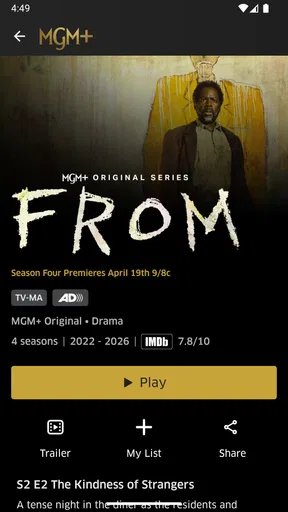
 Analysis by AppCompare
When a streaming app stalls, the first question is whether the problem is the app, the connection, or the way the service is being accessed. I find that separating those possibilities before changing settings saves time. MGM+ is an entertainment app from MGMPlus Entertainment LLC, and its appeal is straightforward: a focused place to browse films and series rather than a general-purpose video platform. It is free to install, but watching is tied to a subscription, so I would check the current plan and renewal details before settling in for a long viewing session.
Where streaming problems tend to begin
The most frustrating hiccups usually appear at the least convenient moment: a title takes too long to start, playback pauses, or a search does not return what you expected. I would first close and reopen the app, then try another title. If one program fails while others play, that points to a narrower issue than a complete service interruption. If nothing plays, checking whether the device can load another online service is a useful first distinction.
A search can also feel unhelpful when you remember only part of a title or are looking for a particular kind of evening watch. Rather than repeatedly entering variations of the same phrase, I’d browse a category or use a distinctive word from the title. That keeps discovery from turning into a long scroll and helps establish whether the issue is the search itself or simply an overly broad query.
Before settling in: a few practical checks
Before a planned movie night, I like to open the app while I still have time to troubleshoot. Confirm that the device has a working internet connection, that the app is up to date through its usual app store, and that the account is signed in as expected. These are simple checks, but they can prevent the awkward pause of discovering a login or connection issue after everyone has picked a film.
It is also worth checking the subscription status and the payment route used to start it. The service offers in-app purchases, with listed items ranging from $5.99 to $61.99, so the amount and renewal terms matter more than the word “free” beside the app download. I would verify those details in the relevant account or store before subscribing, especially if you are trying the service for a particular show rather than planning to keep it.
The app is rated for Teen audiences, which is a useful starting point for families but not a substitute for checking the content of an individual title. If I were choosing something for a shared room, I would look at the program itself before pressing play rather than assuming the overall age rating describes every film or series equally well.
Making the viewing experience work for you
I find that the best way to judge a streaming app is to make it fit the evening you actually have, rather than browsing without a plan. In this section, I’d focus on choosing a title before settling in and keeping a simple fallback in mind if playback falters. That small bit of preparation can turn a frustrating interruption into a quick check instead of a drawn-out troubleshooting session.
Worth Reading Before You Choose

EA SPORTS FC Mobile 26 Is a Bigger Football Game, but It Takes Time

Flipboard Shows What News Apps Must Do Beyond the Feed

Switching to Android Auto Means Rethinking Your Driving Routine

Google Calendar Makes a Crowded Week Easier to Manage

Ludo King Makes the Most of the Minutes Between Plans

Baby Panda World Brings Quick Play to Modern Phones, but Its Game Library Feels Busy
Recovering a viewing session
If playback becomes unreliable, I would avoid changing several things at once. First retry the same title; then switch to another one and see whether it behaves differently. If the issue persists, restart the app and recheck the connection. A clear sequence makes it easier to tell whether the trouble follows one title, the device, or the network, instead of leaving you unsure which adjustment helped.
For a commute or trip, plan around connectivity rather than assuming a stream will remain stable everywhere. The published description emphasizes streaming, so I would not build a travel plan around offline viewing unless the app itself clearly offers that option on your device and account. Before leaving home, test the exact setup you intend to use; that is more dependable than discovering a limitation after you have lost a reliable connection.
When the app may not be the cause
Home Wi-Fi can be the weak link even when other browsing seems acceptable. If a program keeps buffering, try moving closer to the router or pausing other heavy internet use, then test again. On mobile data, check that the connection is steady and keep your plan in mind. A short test with another title can also help distinguish an isolated playback problem from a broader network slowdown.
Device compatibility is another sensible check. MGM+ is designed for a range of viewing situations, but the exact experience can vary by device and operating system. The app’s minimum operating-system requirement is version 7.1, so I would check the software version before troubleshooting more deeply. The service has been available since February 7, 2019, and it has an average rating of 4.6 from around 32,000 ratings, with more than a million installs. Those figures suggest an established audience, but they do not guarantee that every device or connection will behave identically.
Who will get the most from it?
I see the strongest fit for someone who wants a dedicated entertainment service and is interested in the films and series it carries, rather than a single app that aggregates every provider. It can suit a person who likes choosing a feature for a relaxed evening, or a household that is willing to compare titles before deciding what to watch together. With roughly 1,000 titles and more, there is room to browse, but the useful question is whether the selection matches your taste—not simply how large the library sounds.
For example, if I had a quiet evening after work, I would open the app before dinner, search for a film that fits my mood, and check the title details before committing. If nothing appealed, I would rather switch to another service than spend the whole evening scrolling. That is a practical way to judge a subscription: does it make it easier to find something you genuinely want to watch often enough to justify the recurring cost?
Compared with broad streaming services, a more focused catalog can make discovery feel less sprawling, but it also means fewer reasons to keep several subscriptions active if your viewing tastes are varied. A free video platform may be better for casual clips, while a larger general service may suit a household looking for a wider mix of genres and originals. I would choose MGM+ for its particular selection, not as a guaranteed replacement for every other service.
First impressions: the look and feel
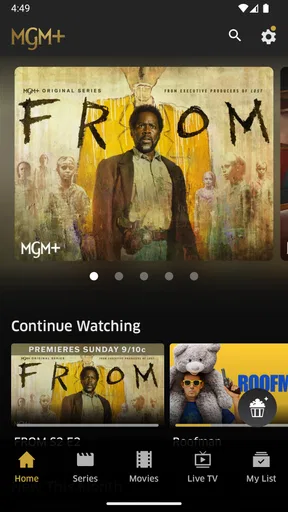
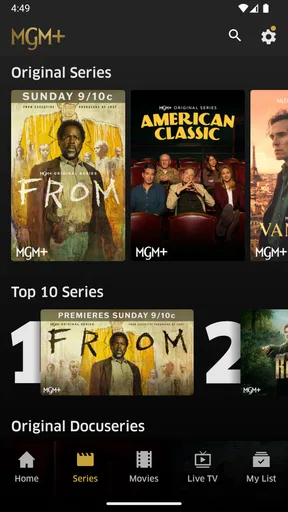
Right off the bat, MGM+ has a sleek interface that’s both intuitive and easy on the eyes. You know when an app just makes sense the moment you open it? That’s the vibe here. The navigation is smooth, and finding your way around is a breeze. Everything is categorized neatly, and they’ve done a stellar job at minimizing clutter. It’s like walking into a freshly organized room—everything is where it should be.
The color scheme is vibrant but not overbearing. It gives off that premium feel without being pretentious. You’re not just browsing; you’re about to embark on a cinematic journey, and they make sure you know it.
Content library: what’s on offer?
Now, let’s dive into the heart of any streaming app—the content. MGM+ boasts a rich library that showcases a mix of classic MGM titles along with some fresh, original content. If you’re a fan of classic cinema, you’re in for a treat. From timeless movies to iconic TV shows, it’s like having a piece of Hollywood history in your pocket.
But it’s not just about the oldies. They’re continually updating with new releases and exclusive shows that you won’t find elsewhere. It’s this blend of the old and new that makes the platform stand out. Whether you’re feeling nostalgic or in the mood for something new, MGM+ has got you covered.
User experience: navigating the app
Let’s talk usability. Streaming can sometimes be a pain if the app doesn’t cooperate, but I didn’t run into any issues here. The search function is robust, making it easy to find exactly what you’re looking for without having to scroll endlessly. And for those indecisive days, the recommendation engine is pretty spot-on, suggesting titles that actually align with your tastes.
Streaming quality is top-notch, with minimal buffering—even on a less-than-stellar Wi-Fi connection. You can adjust the quality settings to suit your data plan, which is a nice touch for those of us trying to dodge overage charges.
Device compatibility and extras
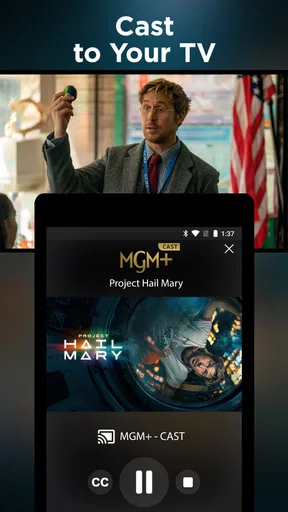
What’s a streaming service without flexibility, right? MGM+ doesn’t disappoint here. It’s compatible with a wide range of devices, from your trusty smartphone to the big screen in your living room. The app also supports offline downloads, so you can queue up your favorite shows for those long flights or when you’re off the grid.
One of the neat features is the ability to create multiple user profiles. So if you’re sharing the account with family or roommates, everyone can have their personalized watchlist and recommendations. No more arguments over what to watch next!
Is it worth trying?
So, is MGM+ worth your time and money? If you’re a movie buff or someone who appreciates a well-curated selection of films and shows, I’d say give it a go. The app delivers on its promise of bringing quality content to your fingertips, and the user experience is seamless.
It’s always refreshing to see a service that respects its audience enough to offer both nostalgia and innovation. Whether you’re revisiting classics or exploring new stories, MGM+ is like having a personal cinema at your disposal.
So, go ahead, take it for a spin and let me know what you think. Happy streaming!
My practical verdict
My recommendation is to treat MGM+ as a targeted subscription, not an automatic must-have. It makes sense when the available films and series give you a clear reason to open it repeatedly; it is less compelling if you mostly watch short clips, want a broad catch-all catalog, or are trying to keep recurring entertainment spending to a minimum. Its 4.2K reviews show plenty of people have shared detailed feedback, but I would still make the decision based on your own viewing habits and the titles you actually want to see.
If you are unsure, the lowest-friction approach is to browse first, identify a few specific programs that appeal to you, and then compare the subscription terms with how often you expect to watch. Keep track of where you started the subscription so you can manage it through the correct account if you decide it no longer fits. That small bit of housekeeping matters: canceling an app from a device is not necessarily the same as managing a subscription attached to an account.
Overall, I like MGM+ most as a focused option for a viewer who knows what kind of film or series they want and values a more curated-feeling destination. I would not promise that every session will be flawless on every connection, and I would not subscribe solely because the app is easy to download. But if its catalog suits your evenings, the clean browsing experience and recognizable entertainment focus make it a reasonable service to consider.
Pros
- Wide selection of exclusive content
- High-quality video streaming
- User-friendly interface
- Ad-free viewing experience
- Offline download option
Cons
- Limited availability outside the US
- No free trial available
- Higher price point than competitors
- Lacks live TV options
- No user profiles for shared accounts
FAQs for MGM+
What is MGM+ and what content does it offer?
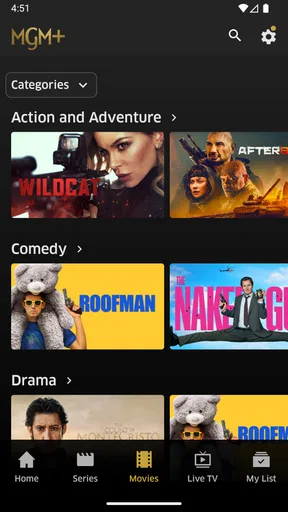
MGM+ is a streaming service that provides a wide variety of movies, TV shows, and original content from MGM Studios. Users can access a range of genres, including action, drama, comedy, and classic films. Additionally, MGM+ often features exclusive shows and new releases, making it a comprehensive hub for entertainment enthusiasts.
Is MGM+ available on both Android and iOS devices?
Yes, MGM+ is available on both Android and iOS platforms. Users can download the app from the Google Play Store for Android devices and the App Store for iOS devices. It ensures a seamless experience across smartphones, tablets, and other compatible devices, allowing users to enjoy content on the go.
Does MGM+ offer a free trial or subscription plans?
MGM+ typically offers a free trial period, allowing users to explore its features and content without any initial commitment. After the trial, users can choose from various subscription plans that cater to different needs and budgets. The plans often include monthly or annual billing options, with the potential for discounts on long-term commitments.
Can I download content from MGM+ for offline viewing?
MGM+ provides the option to download select movies and TV shows for offline viewing. This feature is ideal for users who want to watch content without an internet connection, such as during travel. However, download availability may vary depending on licensing agreements and specific content restrictions.
How does MGM+ ensure a personalized user experience?
MGM+ enhances user experience with personalized recommendations based on viewing history and preferences. The app uses algorithms to suggest content that aligns with users' tastes, making it easier to discover new shows and movies. Additionally, users can create custom watchlists and set up multiple profiles for family members.


